The best invoicing software for freelancers helps you create professional invoices, send them quickly, and get paid without delays. Whether you work with multiple clients or manage a growing freelance business, the right invoicing system improves your cash flow and keeps your business finances organized.
Freelancers often struggle with late payments, tracking invoices, and managing payment information across different clients. A reliable invoicing solution solves these problems by automating reminders, supporting online payments, and helping you send professional invoices with ease. Instead of manually creating invoices or chasing overdue invoices, you can focus on delivering work and growing your client base.
If you’re already investing time or money into lead generation, having a system that connects your leads, clients, and payments becomes even more important. If you want to turn more inquiries into paying clients and track where your revenue is coming from, ChitChat Marketing can help you build a system that connects your marketing, leads, and invoicing into one streamlined process.
What Is Invoicing Software for Freelancers?
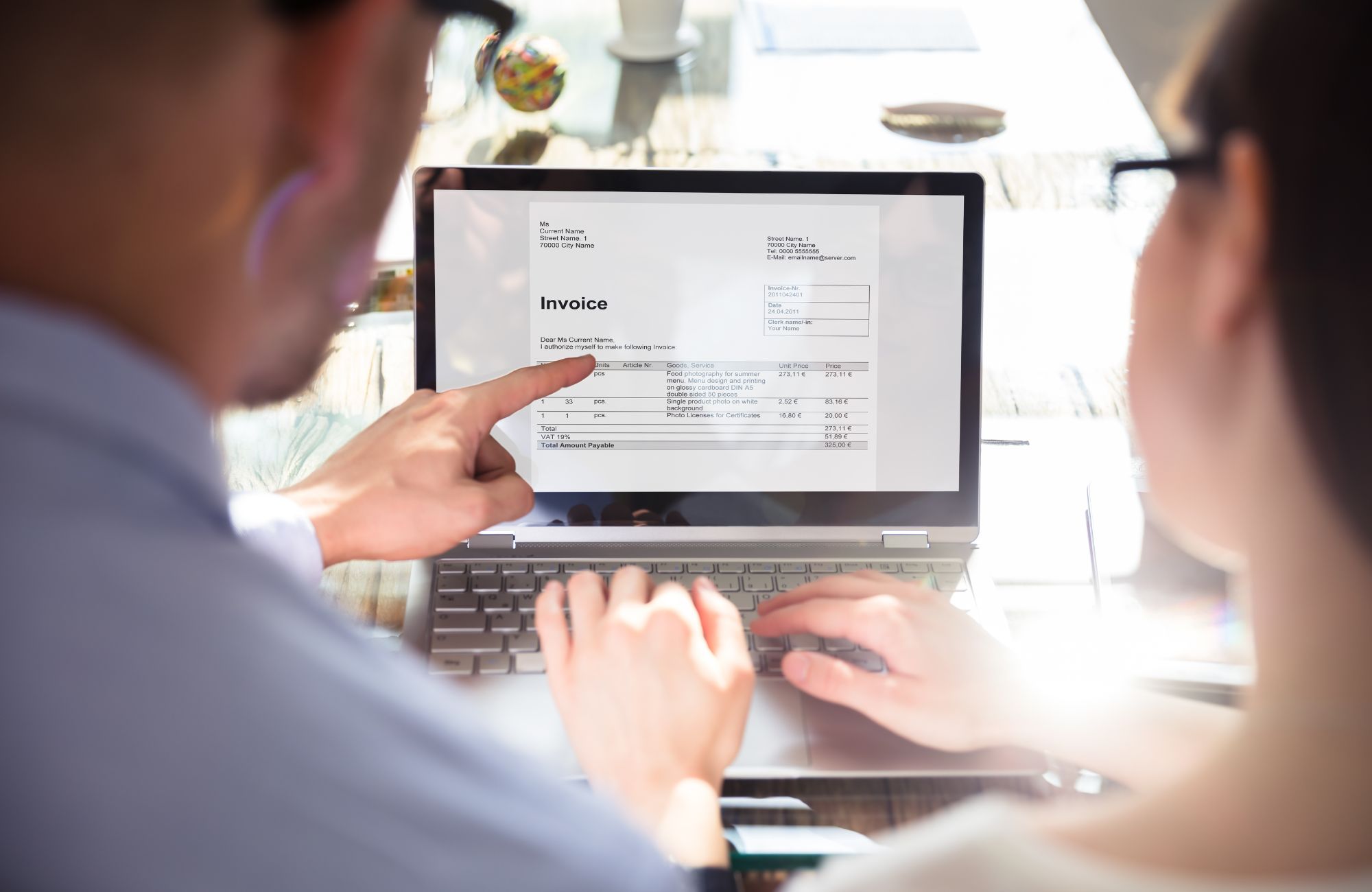
Invoicing software for freelancers is a digital tool that allows you to create invoices, send them to clients, track payments, and manage billing in one place. It simplifies the invoicing process and helps freelancers avoid payment delays while maintaining accurate records.
Modern invoicing tools go beyond basic invoice templates. They allow you to accept online payments, automate payment reminders, and track outstanding invoices across multiple clients. Many platforms also include advanced features such as time tracking, expense tracking, and recurring billing for long-term clients.
A typical freelance workflow looks like this:
- Receive a lead
- Complete a project or service
- Create and send invoices
- Accept payments online
- Track payment history
By using online invoicing software, freelancers can manage multiple invoices, handle payment processing fees efficiently, and ensure they always have access to accurate invoicing and payment information.
Why Freelancers Need Invoicing Software
Freelancers need invoicing software to manage payments efficiently, reduce manual work, and maintain a steady cash flow. Without a proper invoicing system, it becomes difficult to track invoices, follow up on late payments, and manage multiple clients.
Using a structured invoicing solution helps freelancers stay organized and professional while improving their overall client experience. Instead of relying on spreadsheets or manual billing, freelancers can automate key parts of their workflow.
Here are the main benefits:
- Faster payments: Accept credit card payments, bank payments, and online payments to get paid faster
- Reduced payment delays: Automatic payment reminders help avoid overdue invoices
- Professional invoices: Use invoice templates to send polished, branded invoices
- Better cash flow: Track outstanding invoices and payment history in real time
- Less admin work: Automate recurring invoices and recurring billing
Freelancers who use invoicing software often see fewer missed payments and better financial visibility. If you’re running Google Ads or investing in SEO, tracking your invoices alongside your leads helps you understand which marketing channels are actually generating revenue. This is where connecting invoicing with a structured marketing strategy becomes critical.
Best Invoicing Software for Freelancers
Choosing the best invoicing software depends on how you bill clients, how many invoices you send, and whether you need advanced features like time tracking or project management. Below is a comparison of the best invoicing tools for freelancers.
Top Invoicing Software Comparison
| Software | Best For | Free Plan | Key Features | Pricing Model |
| FreshBooks | All-in-one freelancers | No | Time tracking, expense management | Monthly fees |
| Bonsai | Contracts + invoicing | No | Contracts, proposals, recurring billing | Subscription |
| Wave Invoicing | Free invoicing | Yes | Unlimited invoices, payment tracking | Transaction fees |
| QuickBooks | Accounting + invoicing | No | Expense tracking, reporting | Monthly subscription |
| Zoho Invoice | Free advanced features | Yes | Automation, multiple currencies | Free plan |
| HoneyBook | Client workflows | No | Project management, payments | Subscription |
| Harvest | Time tracking | Limited | Record billable hours, reporting | Tiered pricing |
FreshBooks
FreshBooks is one of the best invoicing tools for freelancers who want a complete invoicing and accounting software solution. It allows you to create professional invoices, track expenses, and manage multiple clients in one dashboard.
Key features include time tracking for billable hours, expense tracking with detailed reporting, and automated reminders with recurring invoices, making it a strong choice for freelancers who want advanced features and a more structured invoicing system.
Bonsai
Bonsai is ideal for freelancers who need contracts, proposals, and invoicing in one platform. It simplifies the invoicing process by combining project management with billing.
Key features include the ability to send recurring invoices, integrate contracts and proposals, and track payments with reminders, making it a strong option for freelancers managing long-term clients or retainers.
Wave Invoicing
Wave invoicing is one of the best free invoicing software options available. It allows freelancers to send unlimited invoices without monthly fees.
Key features include a free invoicing tool, the ability to accept credit card and bank payments, and tools to track invoices and payment history, making it a great starting point for freelancers who want a free account with basic functionality.
Zoho Invoice
Zoho Invoice offers powerful features in a free plan, making it ideal for freelancers with international clients or multiple currencies.
Key features include automated reminders, support for multiple currencies, and customizable invoice templates, making it a strong choice for freelancers who want flexibility and useful tools without paying monthly fees.
How to Choose the Best Invoicing Software for Freelancers
The best invoicing software depends on your workflow, client volume, and payment preferences. Choosing the right tool requires understanding how your freelance business operates and what features matter most.
Here’s a simple framework to guide your decision:
- Billing method: Do you bill hourly, per project, or on a retainer basis?
- Client volume: How many clients and invoices do you manage each month?
- Automation needs: Do you need recurring billing or automatic reminders?
- Payment options: Do you need to accept payments online or via bank transfers?
- Budget: Are you looking for free software or a premium plan?
Freelancers working with multiple clients and recurring projects benefit from automation, while those with fewer invoices may prefer a free invoicing solution. The key is choosing software platforms that match your current needs and can scale as your freelance business grows.
Free vs Paid Invoicing Software: What Freelancers Should Know
Free invoicing software is suitable for freelancers who send a limited number of invoices and want to avoid monthly fees. However, these tools often include payment processing fees and fewer advanced features.
Paid invoicing software offers more automation, reporting, and integrations, which can improve efficiency as your business grows.
| Feature | Free Invoicing Software | Paid Invoicing Software |
| Monthly Cost | No monthly cost | Requires monthly fees |
| Features | Limited advanced features | Includes advanced features and automation |
| Payment Processing Fees | Transaction-based fees may apply | May include lower fees or bundled payment options |
| Reporting & Insights | Basic tracking only | Detailed reporting and expense management |
| Scalability | Best for small or new freelancers | Designed for growing freelance businesses |
If you’re handling multiple invoices, working with international clients, or managing recurring billing, upgrading to a paid plan often makes sense. It reduces manual work and improves your ability to track business finances accurately.
Best Invoicing Software by Freelancer Type
The best invoicing software varies depending on how you structure your freelance work. Different tools are better suited for different types of freelancers.
Here’s how to choose based on your workflow:
- Beginners: Simple, free invoicing tools like Wave invoicing or Zoho Invoice
- Hourly freelancers: Tools with time tracking, like Harvest or FreshBooks
- Retainer-based freelancers: Platforms with recurring billing, like Bonsai
- Project-based freelancers: Tools with milestone invoicing and project tracking
- Scaling freelancers: Full systems with expense tracking and reporting
This approach helps freelancers avoid choosing software that doesn’t match their workflow, which is one of the most common mistakes.
How Invoicing Software Fits Into Your Business Growth Strategy
Invoicing software plays a key role in your overall business strategy by connecting your work to your revenue. It helps you track how much you’re earning, which clients pay on time, and where your cash flow is coming from.
For freelancers running marketing campaigns or investing in lead generation, invoicing becomes even more important. It allows you to connect leads to actual revenue and measure return on investment.
If you’re using paid ads or planning to scale your business, having clear visibility into your invoicing and payment data is critical. ChitChat Marketing’s Google Ads management services help freelancers and small business owners build systems that generate leads and convert them into paying clients, while giving you full visibility into your results.
Common Mistakes Freelancers Make with Invoicing
Freelancers often overlook simple invoicing practices that can significantly impact their income and cash flow. Avoiding these mistakes can help you get paid faster and maintain better financial control.
Common mistakes include:
- Not sending invoices on time
- Failing to follow up on overdue invoices
- Using manual invoice templates
- Not tracking payment history
- Choosing the wrong invoicing software
By using automated reminders and a structured invoicing system, freelancers can reduce late payments and avoid unnecessary delays.
How ChitChat Marketing Helps Freelancers Turn Leads Into Revenue
Choosing the best invoicing software for freelancers is only one part of building a successful freelance business. You also need a system that consistently brings in leads and converts them into paying clients. When your invoicing, marketing, and client management work together, you gain better visibility into your cash flow and can scale your business more confidently.
At ChitChat Marketing, we help freelancers and small businesses create systems that generate leads and turn them into real revenue. From SEO to Google Ads management, we focus on building strategies that connect your marketing efforts with measurable results. Contact us today to see how we can help you grow.
FAQs
What invoicing software is suitable for freelancers?
The best invoicing software for freelancers depends on how you manage your clients and billing. Tools like FreshBooks, Wave invoicing, and Zoho Invoice are popular because they support multiple invoices, online payments, and automation. Freelancers should choose software that matches their workflow and allows them to track invoices easily.
What is a good invoicing software for billing clients?
A good invoicing software for billing clients should allow you to create professional invoices, accept payments online, and automate reminders. Platforms like Bonsai and FreshBooks are commonly used because they combine invoicing with client management features. This helps freelancers manage multiple clients and avoid payment delays.
Is free invoicing software enough for freelancers?
Free invoicing software can be enough for freelancers who send a small number of invoices each month. However, as your freelance business grows, you may need advanced features like recurring billing, expense tracking, and automation. Upgrading to a paid plan often improves efficiency and cash flow management.
When should freelancers upgrade their invoicing software?
Freelancers should upgrade when they start handling more clients, sending multiple invoices, or needing advanced features like automation and reporting. If payment delays become frequent or manual invoicing takes too much time, it’s a sign that better invoicing tools are needed. Investing in the right software can save time and improve financial tracking.

Thomas Guardado is a seasoned digital marketing and SEO expert with over a decade of hands-on experience helping brands grow their online presence and dominate search results. Based in Connecticut, he specializes in organic search strategy, technical SEO, content optimization, and data-driven campaigns that turn clicks into customers.


Leave a comment