
Website for My Business: Practical Guide to Getting Online Fast
Key Takeaways
- A basic business website can be online in 1–2 days using an AI website builder or template-based tool, making website creation accessible even without design expertise.
- You can start for free on platforms like Wix, Squarespace, Canva, or GitHub Pages, then upgrade later for a custom domain and extra features.
- A business-ready site must clearly show what you sell, where you are, how to contact you, and why customers should trust you.
- Built-in tools for SEO, analytics, email marketing, booking, and eCommerce let you manage most marketing from one dashboard.
- Free websites are fine to test ideas, but a paid plan with your own .com domain looks more professional and converts better for serious business growth.
The New Way to Get a Website for Your Business
The landscape of getting a website for my business has transformed dramatically. In 2025–2026, small business owners can launch a professional website in hours instead of the weeks or months that custom development once required. Modern platforms have fundamentally lowered the barriers for non-technical owners—whether you’re a local baker, a freelance consultant, or a yoga instructor—to establish a credible online presence without writing a single line of code.
This article will walk you through concrete ways to create a website for your business, covering everything from free options to low-cost upgrades that unlock powerful features. You’ll learn which platforms make sense for your situation, what pages your site actually needs, and how to use built-in marketing tools to turn visitors into customers.
Consider these real-world examples of business owners who went online quickly:
- A local bakery in Austin used Squarespace’s AI features to launch a site showcasing menu items, a location map, and a booking form in under an hour
- A freelance designer in London employed Framer for a design-led, interactive portfolio that attracts premium clients
- A yoga studio in Toronto deployed Wix with scheduling integration, allowing students to book classes directly without phone calls

Modern “all-in-one” platforms include hosting, design tools, and marketing features in a single dashboard. This eliminates the traditional hurdles of coordinating separate services for web design, hosting, email, and analytics—tasks that once required hiring agencies costing thousands of dollars and taking weeks to complete.
Benefits of today’s website tools versus hiring a traditional agency:
- Launch in days instead of weeks or months
- Pay $0–50/month instead of thousands upfront
- Make updates yourself without waiting for a developer
- Access built-in SEO tools, analytics, and email marketing from one place
- No technical skills required—drag and drop editors handle the design
- Templates professionally designed for various industries
- AI tools generate draft content, saving hours of writing
Instant Website Creation vs. Hand-Crafted Design
When building a website for my business, you essentially have two main paths: AI-generated websites that produce drafts in minutes, or manually designed sites where you adjust every element using visual editors. Understanding both approaches helps you choose the right workflow for your time and skill level.
AI website builders, which became widely available around 2023–2024, let you type a short brief describing your business type, location, and preferred colors. The platform then generates a complete draft site within minutes, including pages, headlines, and even placeholder content. This represents a major departure from earlier template-based builders where users spent hours selecting and adjusting individual elements.
Hand-crafted design, by contrast, gives you full creative control over every section, image, and font. Using a drag and drop editor, you position elements exactly where you want them on a visual canvas without touching any code. This approach takes more time but produces results tailored precisely to your vision.
The practical workflow for most small business owners combines both methods:
- Use AI to generate your first version with a basic structure
- Refine critical pages (Home, Services, Contact) manually
- Add your own photos, adjust copy, and customize branding
- Launch when the site clearly communicates your offering
Small business owners with limited time should aim for “good and live now” rather than “perfect but delayed for months.”
Using AI to Generate Your First Business Website
The typical AI prompt process is remarkably simple. You enter your business name, city, industry, and preferred style—something like “plumbing services in Chicago, founded in 2019, blue and white colors”—and the built-in AI tools generate a complete starting point.
Here’s what AI can produce for a hair salon within 10–15 minutes:
- A 4-page site structure (Home, About, Services, Contact)
- Headlines tailored to your industry and location
- Service descriptions with reasonable placeholder pricing
- A basic FAQ section addressing common customer questions
- Contact forms ready to collect inquiries
AI can also draft price tables, testimonials placeholders, and even suggest calls to action based on your business type. The website maker handles layout decisions, font pairings, and color schemes automatically.
Important considerations when using AI-generated content:
- Treat all output as a starting point, not finished copy
- Fact-check any pricing, hours, or service details
- Override legal content like refunds, terms, and guarantees with your actual policies
- Add specific local details the AI couldn’t know
- Replace generic stock photos with real images of your business
Non-technical business owners should feel reassured: these AI tools are designed for people without design expertise or coding knowledge. The goal is getting you to a user friendly starting point quickly, which you then personalize.
Refining Design and Content Manually
Once AI generates your foundation, a drag and drop editor lets you move images, text boxes, buttons, and forms around a visual canvas. You see exactly what visitors will see, making adjustments intuitive even for complete beginners.
Real photos make a significant difference. Instead of generic stock images, use smartphone photos of:
- Your actual team or yourself at work
- Your premises, workshop, or office space
- Your products from multiple angles
- Completed projects or before-and-after results
Clear calls to action belong above the fold on your homepage—the area visitors see before scrolling. Effective examples include:
- “Call us today for a free estimate”
- “Book a free consultation”
- “Get a quote in 24 hours”
- “Schedule your first session”
Colors and fonts should match any existing offline branding you have, including shop signs, business cards, and brochures. Consistency builds recognition and trust across all customer touchpoints.
Plan to spend at least 1–2 focused hours revising AI-generated text. The goal is making the copy reflect your actual tone of voice, local market specifics, and the unique aspects of how you serve customers. Generic content won’t differentiate you from competitors.
Free and Low-Cost Ways to Get a Website for Your Business
Understanding the trade-offs between free plans and paid plans helps you make smart decisions about your website budget. Free plans typically include builder branding on your site, limited features, and a subdomain (like yourbusiness.wixsite.com) instead of your own .com address. Paid plans unlock a professional image with a custom domain, more tools, and no platform advertising.
Concrete free or almost-free options for 2025–2026:
- Hosted website builders (Wix, Squarespace, Canva) with free tiers including templates and hosting
- WordPress on low-cost shared hosting ($3–10/month) for more customization options
- Static hosting platforms (GitHub Pages, Netlify, Vercel) at $0 for tech-savvy users
- Free domain promotions bundled with some annual hosting plans
Approximate costs in USD per month as of 2025–2026:
| Tier | Monthly Cost | What You Get |
|---|---|---|
| Free | $0 | Subdomain, platform branding, basic features |
| Entry Paid | $5–20 | Custom domain, ad-free, expanded storage |
| Business/Advanced | $20–50+ | eCommerce, advanced forms, email marketing, priority support |
Serious businesses typically budget at least one small recurring subscription for their website plus $10–20/year for a unique domain name. This investment often totals less than a single newspaper ad but works for you continuously.
Using Hosted Website Builders with Free Plans
Platforms like Wix, Squarespace, and Canva offer free plans where hosting and website templates are included at no cost. The catch: you’ll use a subdomain (yourbusiness.platform.com) and may see platform branding on your pages.
Consider this concrete example: A new consultant in 2026 wants to test demand for marketing services. She signs up for Wix’s free tier, creates a simple 3-page site describing her offerings, and shares the link with potential clients. After landing her first five customers, she upgrades to a paid plan for a custom domain and professional email address.
Typical limitations of free plans:
- No custom domain option
- Platform logos or ads appear on your site
- Limited eCommerce functionality (few products, higher processing fees)
- Restricted booking or scheduling capacity
- Smaller storage for images and files
- Basic analytics only
Free plans work well for validating your idea, testing messaging, and learning the website creator before committing to a subscription. You can explore the user friendly interface, experiment with different layouts, and understand what features you actually need.
One practical tip: Reserve a memorable business name early, even if you start on a free plan. When you’re ready to upgrade, you’ll be able to move to a custom .com domain without starting from scratch.
Free Hosting with Static Site Generators
For tech-savvy founders comfortable with some technical setup, static hosting on GitHub Pages, Netlify, or Vercel can be completely free. These platforms serve pre-built files without the overhead of traditional servers, resulting in extremely fast load times and excellent security.
This route works better for people who can handle tools like Hugo, Jekyll, or static export features from visual builders. The trade-off is less visual editing capability and a steeper learning curve compared to drag-and-drop platforms.
Realistic use case: A small software startup in Berlin hosts a simple documentation site and beta landing page for $0 on Netlify while in pre-launch mode. The developer-founder handles updates via command line, and the site loads almost instantly for visitors worldwide.
Pros of static hosting:
- Superior speed and performance
- Strong security with minimal attack surface
- Zero hosting cost
- Easy global distribution via CDN
Cons of static hosting:
- Requires technical knowledge to set up and maintain
- Limited visual editing without additional tools
- Harder for non-developers to make updates
- No built-in eCommerce or booking systems
For non-technical business owners, prioritizing ease of use over saving a few dollars on hosting usually makes sense. The time you’d spend learning technical workflows could be better invested in serving customers.
When to Invest in a Paid Plan
Clear milestones signal when upgrading from a free website makes sense:
- You’ve acquired your first 10–20 customers
- You need to accept online payments
- Platform branding undermines your professional image
- You require advanced features (forms, automations, larger product catalogs)
- You’re losing leads to competitors with more polished sites
Paid plans typically unlock features that directly support business growth:
| Feature | How It Helps |
|---|---|
| Custom domain | Builds trust, easier to remember, better for SEO |
| Advanced forms | Collect more information, qualify leads automatically |
| Email marketing integration | Nurture prospects and stay top-of-mind |
| Scheduling systems | Let customers book without phone tag |
| Larger storage | More photos, videos, and downloadable content |
| Priority support | Faster help when issues arise |
Rough cost ranges show this investment is accessible: a basic business plan plus domain often totals under $25/month. Prices vary by platform and country, but the annual cost typically falls between $150–500 for a fully functional business website.
A custom domain and ad-free site significantly improve trust, especially for B2B services and higher-priced offers where buyers research vendors carefully. Think of your website as a core business asset that earns its keep through leads and sales, rather than a one-time expense to minimize.
When a Business Should Hire a Professional Web Design Agency
While modern website builders make it easier than ever to launch a simple website, there are many situations where working with a professional web design agency becomes the better long-term decision.
DIY website tools are excellent for getting online quickly. However, as a business grows, the website often becomes a core revenue engine rather than just an online brochure. At that point, performance, design strategy, and marketing integration matter far more than simply having a website live.
Businesses typically begin considering professional web design when they need:
• Advanced custom design beyond templates
• SEO architecture built for long-term organic traffic growth
• High-converting landing pages for advertising campaigns
• Complex functionality like membership portals, multi-location structures, or custom booking systems
• Strategic user experience (UX) design focused on lead generation
• Integration with CRMs, marketing automation tools, or advanced analytics
• A cohesive brand identity across website, ads, and marketing materials
A template site might be sufficient for a small local startup, but companies investing in SEO, Google Ads, or aggressive growth strategies often need a more sophisticated foundation.
Professional agencies approach websites very differently than DIY builders. Instead of focusing only on appearance, they focus on conversion architecture—how visitors move through the site, what motivates them to take action, and how the site supports ongoing marketing campaigns.
For example, agencies will often:
• Build custom page structures designed around search demand
• Optimize site speed and technical SEO from the ground up
• Design landing pages specifically for paid advertising traffic
• Implement conversion tracking, heat mapping, and analytics infrastructure
• Create scalable content structures that support hundreds of pages over time
These elements are difficult to implement properly using basic website builders alone.
Working With a Web Design Agency Like ChitChat Marketing
For businesses looking to turn their website into a lead generation system rather than just an online presence, working with a specialized agency can accelerate growth.
Agencies like ChitChat Marketing combine website design with SEO strategy, paid advertising integration, and conversion optimization. Instead of building a site and hoping it performs well, the website is designed from day one to support measurable business outcomes like leads, bookings, and sales.
Typical agency-built websites include:
• Conversion-focused homepage structures
• SEO landing pages targeting high-intent keywords
• Optimized service pages designed to rank in search engines
• Custom landing pages for Google Ads campaigns
• Technical SEO foundations for long-term growth
• Analytics and tracking systems to measure real performance
For many businesses, the path looks like this:
-
Launch a simple website quickly using a website builder
-
Validate the business idea and start generating customers
-
Invest in a professionally designed website once growth accelerates
This approach allows businesses to move quickly at the beginning while still planning for a more scalable digital presence later.
A well-designed website should not just exist online—it should actively contribute to the growth of your business.
Core Pages Every Business Website Should Have
Clear structure matters more than fancy visual effects for most small businesses. Visitors should find what they need within seconds, understand what you offer, and know how to take the next step. Complexity often confuses rather than impresses.
The 4–6 essential pages for a good website:
- Home – Your quick pitch and primary call to action
- About – Your story, credentials, and team
- Services/Products – What you offer with clear descriptions and pricing guidance
- Contact – How to reach you through multiple channels
Optional but valuable additions:
- Blog – Attracts search traffic and demonstrates expertise
- FAQ – Answers common questions and reduces support inquiries
Create these core pages first before experimenting with more complex websites featuring memberships, online courses, or gated content. A simple navigation menu should appear consistently across desktop and mobile views, typically showing 4–6 items maximum.
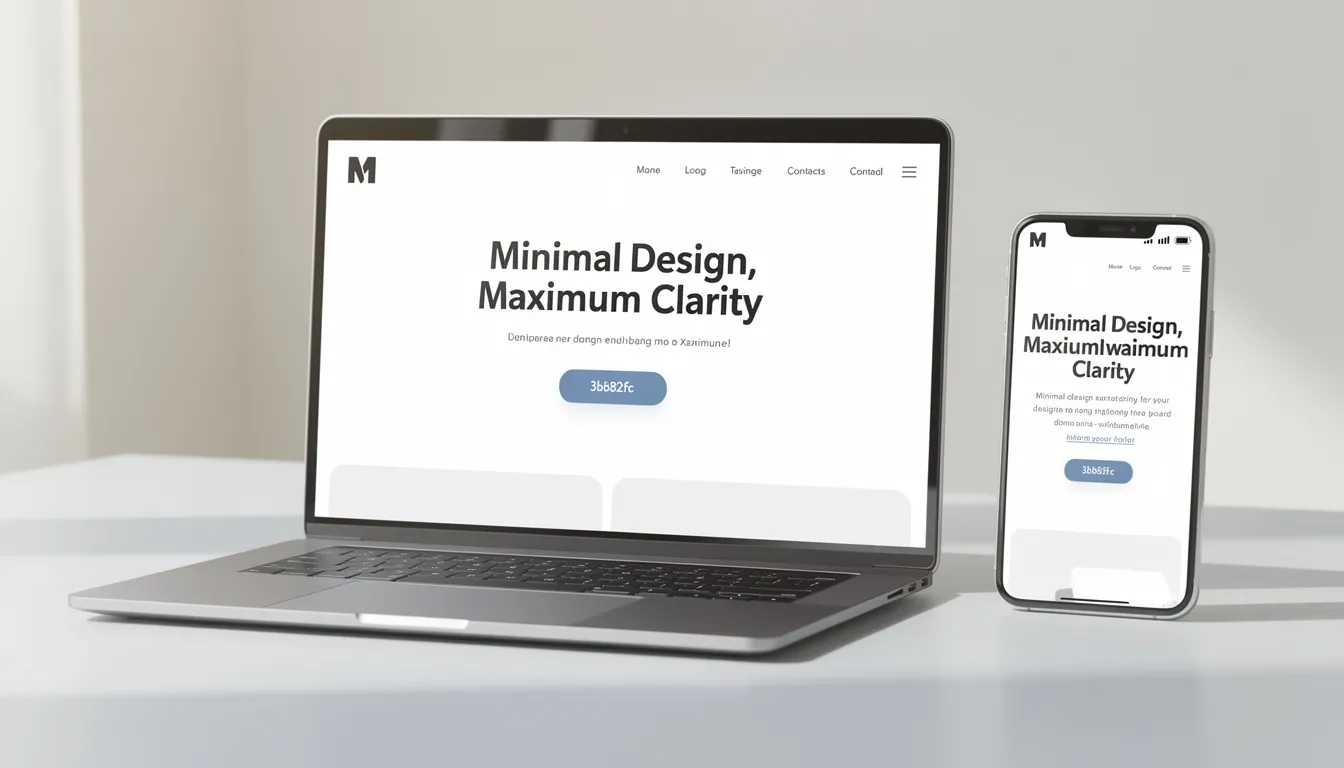
Homepage: Your 10-Second Pitch
Your homepage must answer three questions within seconds: Who are you? What do you offer? Where are you located? Visitors who can’t find these answers quickly will leave for a competitor’s site.
Essential elements for your homepage top section:
- Strong headline stating your core offering and location (e.g., “Emergency plumbing in Chicago since 2019”)
- One-sentence subheadline expanding on your value proposition
- Primary call-to-action button (“Book Now,” “Get a Quote,” “Call Today”)
- 3–4 short bullet benefits explaining why customers choose you
Additional elements that build credibility:
- One testimonial with a real first name and city
- Trust icons showing years in business, certifications, or local awards
- A simple “How it works” section with 3 steps (e.g., Contact → Quote → Service completed)
Keep the layout clean and uncluttered. One main action per screen section. No long paragraphs—visitors scan rather than read. Mobile friendly design ensures most visitors (often over 60% from smartphones) have a good experience.
About Page: Building Trust and Personality
Your About page tells the founder story in 3–5 short paragraphs. Explain why you started the business, what problems you solve, and who you serve best. This isn’t a resume—it’s a chance to connect with potential customers on a human level.
Content to include:
- Why you started this particular business
- What motivates you to serve customers well
- Your relevant experience and background
- At least one real photo of you or your team in your actual workspace
Timeline milestones add credibility:
- Founded in 2021
- Moved to a larger location in 2023
- Served 500+ clients by 2025
- Expanded service area in 2026
Mention any licenses, insurance, professional memberships, or certifications relevant to your industry. For service businesses, these credentials often matter more than fancy design. A plumber’s license number or a contractor’s bonding information can be the deciding factor for cautious buyers.
Maintain a human, conversational tone rather than generic corporate language. “I started this business after fixing my neighbor’s leaky faucet” connects better than “Our company is committed to excellence in plumbing services.”
Services or Products Page: Clear Offers and Pricing
Group your offerings into clear categories with short descriptions. A cleaning company might organize by:
- Residential Cleaning
- Commercial Cleaning
- Move-Out Services
- Specialty Services (carpet, windows, deep clean)
Show starting prices or price ranges where possible. This filters out unqualified leads and reduces back-and-forth emails. If exact pricing isn’t feasible, phrases like “Starting at $150” or “Typically $200–400 depending on scope” still help visitors self-qualify.
Simple comparison blocks work well for packages:
| Feature | Basic | Standard | Premium |
|---|---|---|---|
| Service visits/month | 2 | 4 | Unlimited |
| Response time | 48 hours | 24 hours | Same day |
| Priority scheduling | No | Yes | Yes |
| Dedicated contact | No | No | Yes |
Include specific numbers for turnaround times or delivery zones: “Most projects completed within 3 business days” or “We serve all neighborhoods within 25 miles of downtown.”
End every services page with a direct next step: a “Request a quote” form, “Book an intro call” button, or phone number prominently displayed.
Contact Page: Make It Easy to Reach You
Multiple contact methods accommodate different preferences:
- Contact form (collecting name, email, phone, and message)
- Direct phone number with click-to-call on mobile
- Business email address
- Physical address with embedded map (if you serve local clients)
Publish clear response-time expectations. “We reply to all messages within 1 business day (Monday–Friday)” sets appropriate expectations and demonstrates professionalism.
Add your opening hours using local time, and specify any holiday closures if you serve local customers. Link to your main social media platforms if you actively manage them—but only include profiles you actually update regularly.
Keep the design simple. A short intro sentence, a single-column layout, and clear form fields work best for mobile users who may be contacting you from a parking lot or during a lunch break.
Optional: Blog and FAQ for Extra Trust
A blog or articles section attracts search traffic and answers common questions in depth. Topics like “How much does home cleaning cost in 2026?” or “5 signs you need a new water heater” bring visitors who are actively researching—exactly the audience most likely to become customers.
Blog best practices:
- Post 1–2 practical, non-promotional articles per month
- Address real customer concerns you hear regularly
- Include local references and specific details
- Use built in SEO tools to optimize titles and descriptions
An FAQ page provides concise answers about pricing, timelines, guarantees, payment methods, and cancellation policies. Link to your FAQ from product or services pages to reduce repetitive questions via email or phone.
Keep each FAQ answer to a short paragraph or 3–4 bullets. Visitors scanning for a specific answer shouldn’t wade through walls of text.
Built-In Tools That Help Your Website Grow Your Business
Modern website platforms bundle business tools that used to require multiple separate services and subscriptions. What once meant juggling a separate email provider, booking system, payment processor, and analytics dashboard now lives in one user friendly interface.
Main categories of built-in tools:
- eCommerce – Sell products and accept payments directly
- Scheduling and bookings – Let customers reserve appointments online
- Online courses and events – Deliver digital products and workshops
- Advertising and social media – Connect to Google Ads, Meta, and social media platforms
- CRM and automation – Store contacts and create custom automations
- Analytics – Track visitors, conversions, and popular content
Start with one or two essential tools and add more as your business grows. A personal trainer might begin with just scheduling, then add an online store for merchandise later. A crafts seller might prioritize eCommerce from day one, adding email campaigns once they have a customer list.
Online Store and Secure Payments
Even very small businesses can sell products directly from their site with built-in eCommerce. You don’t need a separate shopping cart service or payment gateway setup—the website builder handles integration with major credit cards and digital wallets.
Setting up your online store:
- Add clear product photos from multiple angles
- Write short product descriptions focused on benefits
- Display visible pricing including any variations (size, color)
- Include simple refund and shipping policies with concrete timeframes
Specific details build trust: “Ships within 2 business days” and “30-day returns, no questions asked” tell customers exactly what to expect. Vague policies like “Ships soon” or “Returns accepted” create uncertainty.
Start with a small, curated product catalog rather than dozens of poorly described items. Five products with excellent photos and descriptions will sell better than fifty products with blurry images and generic copy.
Note that most platforms charge processing fees (typically 2.9% + $0.30 per transaction) in addition to monthly subscription costs. Factor this into your pricing strategy.
Scheduling, Bookings, and Appointments
Service businesses—coaches, salons, clinics, tutors—benefit enormously from letting customers book directly on the site without calling. This eliminates phone tag and allows bookings at any hour.
Essential booking features:
- Calendar sync to prevent double-booking
- Configurable working hours and blocked times
- Intake forms collecting only essential information (name, email, preferred date/time)
- Optional deposits or prepayment to reduce no-shows
- Automatic email or SMS reminders 24 hours before appointments
The booking flow should be quick—three clicks maximum from “Book Now” to confirmation. Every additional field or page you add will cost you some percentage of potential bookings.
Online Courses, Workshops, and Events
Many platforms now support selling online courses, downloadable guides, or tickets for both online and in-person events. This opens additional revenue streams beyond your core services.
Examples of digital products you might sell:
- A photography studio offering a weekend workshop on portrait lighting
- A nutritionist selling a 4-week group program with weekly video lessons
- A consultant providing a downloadable template bundle
- A fitness instructor hosting monthly virtual group classes
Include clear start dates, duration, time zone information, and maximum participant numbers where relevant. Landing pages for each course or event should feature:
- Agenda bullets explaining what participants will learn
- Price and any payment plan options
- Clear “Enroll now” or “Reserve your seat” buttons
- Instructor credentials and photo
Send confirmation emails with all key details immediately after purchase or registration. Automated email sequences can deliver course materials and reminders without manual effort.
Ads, Social Media, Email, and CRM Tools
Many website builders bundle integrations for paid ads through Google and Meta, social media posts scheduling, and basic email marketing. These built in marketing tools let you manage most digital marketing from one dashboard.
Practical priorities for new businesses:
- Focus first on collecting email addresses via a simple newsletter signup or lead magnet
- Set up one or two basic automations (welcome email, follow-up after quote request)
- Add social media integration only if you’ll actually post consistently
- Consider paid ads only after your website converts organic traffic well
A built-in CRM stores contact details, past purchases, communication history, and tags in one place. This information powers personalized follow-ups and helps you understand which marketing efforts bring the best customers.
Privacy regulations like GDPR require clear explanations of what subscribers will receive and easy opt-out options. Include unsubscribe links in every email and honor requests promptly.
Analytics and Data-Driven Improvements
Basic analytics show page views, traffic sources, and popular content so you can see what works and what doesn’t. Most platforms provide a built-in dashboard; many also support connecting external tools like Google Analytics for more detailed insights.
What to check monthly:
- Which pages get the most views
- Where visitors come from (search, social, direct links)
- Which pages have high bounce rates (visitors leaving quickly)
- Contact form submissions or purchase conversions
Small experiments can reveal what resonates with your target audience. Try changing a headline and monitor whether conversions change over a few weeks. Test different call-to-action button text. These incremental improvements compound over time.
Set a clear goal metric aligned with your business goals: contact form submissions per week, online orders per month, or booking requests per day. Tracking a specific number keeps you focused and helps justify your website investment.
Technical Foundations: Speed, Security, and Reliability
A business website must load quickly, stay secure, and remain online reliably—or you risk losing customers. Research consistently shows that slow sites cause visitors to leave, especially on mobile devices. Unreliable sites undermine trust exactly when potential customers are deciding whether to contact you.
The good news: reputable website platforms handle most technical infrastructure automatically. You don’t need to become a server administrator. But understanding key basics helps you make informed decisions and troubleshoot when issues arise.
Good technical foundations also support better search rankings. Google considers page speed and mobile experience when determining which sites appear in search results, making seo optimizations partly dependent on solid infrastructure.
Speed and Mobile Experience
Slow sites cause visitors to leave before they even see your content. Studies suggest most visitors abandon pages that take more than 3 seconds to load. On mobile connections, this patience shrinks even further.
Practices for faster page loads:
- Use compressed images (JPEG or WebP format, appropriate dimensions)
- Avoid heavy animations and auto-playing videos
- Choose simple layouts over complex, multi-layer designs
- Minimize the number of fonts loaded
- Use the platform’s built-in optimization features
Most website builders automatically generate mobile-friendly versions using responsive layouts. Still, preview your site on actual devices before launching. Check it on at least one Android phone, one iPhone, and a laptop to catch obvious layout problems.
Avoid auto-playing videos with sound on the homepage—they slow loading, consume mobile data, and annoy visitors who may be browsing in public spaces.
Security and Backups
SSL (the “https” lock icon in browser address bars) is now expected for all business sites. It encrypts data between visitors and your server, protecting sensitive information like contact details and payment data. Most platforms enable SSL by default.
Hosted website builders typically manage server security, software updates, and ddos protection in the background. You benefit from their security team’s expertise without hiring specialists.
Your security responsibilities:
- Use strong, unique passwords for your website account
- Enable multi-factor authentication where available
- Keep connected accounts (email, payment processors) equally secure
- Make regular backups or verify the platform’s built-in restore points
- Log out of admin dashboards on shared computers
If your site allows you to install plugins or third-party code, keep them updated. Outdated extensions are a common entry point for security breaches.
Reliability and Uptime
Uptime refers to the percentage of time your website is available to visitors. A 99.9% uptime commitment means approximately 8.7 hours of potential downtime per year—usually tolerable for most small businesses, especially if it happens during low-traffic hours.
Modern website builders often use multi-cloud infrastructure and global content delivery networks (CDNs) to stay online even during traffic spikes or regional outages. This enterprise-grade infrastructure would cost thousands monthly to build yourself.
When evaluating platforms:
- Look for publicly stated uptime commitments
- Check independent status history sites for actual performance
- Read reviews mentioning reliability issues
- Consider the platform’s track record and company stability
For businesses relying heavily on online bookings, orders, or lead generation, setting up simple status alerts or subscribing to the platform’s status page provides early warning if issues arise.
Step-by-Step: How to Create a Website for Your Business
This chronological checklist walks you from initial idea to live website within a weekend. Each step includes practical time estimates so you can plan realistically. The entire website creation process for a simple 4–5 page site typically takes 8–16 hours spread across a few days.
Remember: launch first, improve later. The businesses that succeed online are the ones that actually publish their sites, not the ones endlessly perfecting drafts.

Step 1: Define Goals, Audience, and Structure
Before touching any website builder, clarify what you’re building and why. This foundation shapes every decision that follows.
Write down a one-sentence goal:
- “Get 10 local leads per month for our home renovation services”
- “Sell 20 handmade jewelry pieces per month to gift buyers”
- “Book 15 new coaching clients this quarter”
Define your primary target audience with 3–4 traits:
- Location (city, region, or national/international)
- Budget level (economy, mid-range, premium)
- Main problem they’re trying to solve
- Decision role (are they the buyer, or researching for someone else?)
Map a simple site structure on paper. Most small businesses need only:
- Homepage
- About
- Services or Products
- Contact
- Optional: FAQ, Blog, or a specific landing page for your main offering
List the exact actions you want visitors to take: call, fill a form, buy, book. Every design choice should support these conversions.
Time estimate: 1–2 hours
Step 2: Choose the Right Platform for Your Business
Select a platform based on your technical comfort level, budget, and needed features. The best website builder for your situation depends on what you’re actually building.
Guidance for different needs:
| Business Type | Recommended Approach |
|---|---|
| Non-technical owner, simple site | Hosted website builder (Wix, Squarespace) |
| Designer wanting creative control | Framer, Webflow, or similar |
| Extensive eCommerce catalog | Shopify or dedicated eCommerce platform |
| Complex custom features planned | Self-hosted WordPress with plugins |
| Tech-savvy, minimal budget | Static site generator + free hosting |
Test 1–2 platforms with free trials or free tiers for a few hours before committing to a paid plan. Most platforms offer intuitive interface experiences that you can evaluate quickly.
Check whether the platform offers customer support in your language and time zone. When issues arise at 10 PM before a big promotion, responsive support matters.
Time estimate: 1–2 hours
Step 3: Select a Template or Start with AI
Most website builders offer industry-specific website templates—restaurants, consultants, online stores, professional services—that provide excellent starting points and save many hours.
Choose a template based on layout and structure rather than colors or photos. Colors are easy to change; rebuilding an entirely different page structure takes much longer.
Alternatively, use AI to generate your starting design:
- Navigate to the platform’s AI website builder feature
- Describe your business: name, location, industry, services
- Select style preferences if prompted
- Review the generated multi page site
- Accept it as your starting point
Create only one main version rather than constantly switching templates. Endless redesign loops delay your launch without improving results. The fully customized look you imagine can evolve over time once you’re live and learning from actual visitors.
Focus early attention on readability, clear navigation, and strong calls to action rather than fancy animations or advanced design elements.
Time estimate: 1–2 hours
Step 4: Add Real Content, Images, and Branding
Replace all placeholder text with concise, customer-focused copy for each page. Include real service names, your actual location, and genuine information about how you work.
Content checklist:
- Your business name, tagline, and elevator pitch
- Service or product descriptions with real details
- Pricing information (ranges are fine if exact prices vary)
- Your actual contact details (phone, email, address if applicable)
- Operating hours and response time expectations
Use your own photos where possible, even if taken with a good smartphone. Authentic images of your workspace, team, products, or completed projects outperform generic stock photos for building trust.
Choose 1–2 main brand colors and 1–2 fonts that reflect your business personality. Consistency matters more than complexity—stick with your choices across all new pages.
Include proof elements:
- Testimonials from satisfied customers (with permission)
- Review snippets from Google or other platforms
- Notable client logos (with permission)
- Awards, certifications, or media mentions
Double-check all contact details, prices, and legal information for accuracy before publishing. Errors here cost you credibility and potentially customers.
Time estimate: 2–4 hours
Step 5: Connect a Custom Domain and Configure Basics
A domain like “yourbusiness.com” looks more professional than a subdomain and costs roughly $10–20 per year—a low cost investment with significant return in credibility.
Choosing your perfect domain:
- Keep it simple and easy to spell
- Match your business name when possible
- Consider your local market (.com works globally, country extensions work locally)
- Avoid hyphens, numbers, or unusual spellings that require explanation
Follow the platform’s guided steps for connecting or transferring a domain. Most platforms make this straightforward with step-by-step wizards. SSL (https) should be enabled automatically or with a single click.
Configure basic SEO settings:
- Page titles that include your service and location
- Meta descriptions summarizing each page’s content
- A concise site description mentioning your city and main service
Set up a professional email address using your domain (info@yourbusiness.com or hello@yourbusiness.com). This small detail significantly improves perceived professionalism compared to generic Gmail or Yahoo addresses.
Time estimate: 1–2 hours
Step 6: Test, Launch, and Promote
Before publishing, preview your site on both desktop and mobile. Click every link. Submit test entries through every form. Check that confirmation emails arrive correctly.
Pre-launch checklist:
- All pages load correctly on phone and computer
- Navigation works consistently
- Forms submit and trigger appropriate confirmations
- Contact information is accurate
- Images display properly and load quickly
- No placeholder text remains
Ask 2–3 trusted friends, colleagues, or existing clients to test the site. Request honest feedback on clarity, ease of finding information, and overall impression. Fresh eyes catch issues you’ve become blind to.
Publish the site once it passes basic checks, even if you plan to refine it later. Perfect is the enemy of live.
Promote your new website:
- Add the URL to business cards and printed materials
- Include it in email signatures
- Update your social media profiles with the link
- Mention it in invoices and receipts
- Share an announcement on your social media posts
Note that search engines typically take 2–4 weeks to index new pages. Early traffic will come mostly from direct sharing rather than organic search. Plan accordingly for your initial promotion push.
Time estimate: 2–3 hours
Frequently Asked Questions
How long does it realistically take to create a website for my business?
A simple 4–5 page site built from a template or AI can be launched in 1–2 days if you prepare your content in advance. The actual building takes perhaps 8–12 focused hours; the rest depends on how quickly you can gather photos, write descriptions, and make decisions.
Adding features like online booking or an eCommerce store with inventory management may extend setup to a week or more, depending on your schedule and how many products you need to configure.
Importantly, a website isn’t a one-time project. Plan for ongoing updates—new photos, blog posts, seasonal offers, updated pricing—on at least a monthly basis rather than treating it as “set and forget.”
Do I really need a website if I already use social media or Google Business Profile?
Social media platforms and Google Business Profile are valuable tools, but they’re controlled by third-party companies that can change rules, algorithms, or reach at any time. Your own website is territory you control completely.
A website serves as your central hub where you dictate the design, content, messaging, and customer journey. Social platforms and map profiles should point visitors back to your website, where you can:
- Capture email addresses for direct communication
- Present your full offering without platform limitations
- Control how you’re presented without competitor ads
- Build a foundation that isn’t subject to algorithm changes
What if I have no design or writing skills?
Modern website builders provide professionally designed templates, text suggestions, and built in ai tools that generate draft content and layouts. You don’t need to start from a blank canvas.
Focus on clarity and accuracy over creativity. Plainly state what you do, where you work, your prices, and how to contact you. This straightforward information serves customers better than clever but confusing marketing copy.
If budget allows, hiring a freelance copywriter or designer for a limited engagement—perhaps a few hours to polish your homepage copy or refine your logo—can add professional polish while you maintain day to day control of the site yourself.
How much should a small business budget annually for a website?
A realistic range for domain registration plus a basic website plan totals between $150 and $500 per year, depending on country, platform, and features needed. This covers:
- Domain name: $10–20/year
- Basic website plan: $12–40/month ($144–480/year)
- Total: Roughly $160–500/year
Additional costs like premium themes, third-party apps, or professional help can increase this, but they’re optional at the beginning. A content creator selling digital products might invest more in eCommerce features; a simple service business might stay at the lower end.
Think of the website as a marketing investment. If your site generates even one or two additional customers per year, it likely earns back its annual cost multiple times over.
Can I move my website to another platform in the future?
Yes, though the ease of migration varies. Domains are fully portable—you can point your .com to any hosting provider. However, designs and content sometimes require manual rebuilding when switching between platforms.
Reduce future migration pain by:
- Keeping copies of all text content in a document
- Storing original image files organized by page
- Documenting your key settings and configurations
- Choosing platforms that allow exporting data (contacts, orders, blog posts)
Some platforms lock in content more than others. Before committing, check whether you can export your customer list, download your blog posts, and access your product data independently of the platform.

Thomas Guardado is a seasoned digital marketing and SEO expert with over a decade of hands-on experience helping brands grow their online presence and dominate search results. Based in Connecticut, he specializes in organic search strategy, technical SEO, content optimization, and data-driven campaigns that turn clicks into customers.


Leave a comment