TL;DR:
- Technical SEO forms the foundation essential for search engines to discover, crawl, render, and index website content effectively. Neglecting technical configurations creates ranking ceilings; fixing issues like canonical conflicts, server errors, and structured data can significantly boost visibility. As AI search continues to evolve, optimizing site infrastructure for machine readability becomes increasingly vital for sustained online success.
Most website owners pour energy into content creation and link building, then wonder why their rankings barely budge. The answer is often not what they are publishing. It is whether search engines can actually reach, read, and understand their site. What is technical SEO? It is the foundation that makes every other SEO effort possible. Technical SEO optimizes site infrastructure for crawlability, rendering, and indexing, giving both traditional search engines and AI systems a clear path to access and cite your content. In 2026, with search fragmented across AI answer engines and decentralized platforms, getting this right has never mattered more.
Table of Contents
- Key Takeaways
- What technical SEO actually means
- Site speed, HTTPS, and Core Web Vitals
- Structured data, sitemaps, robots.txt, and canonical tags
- Technical SEO in 2026: AI search and new priorities
- How to improve technical SEO: a practical checklist
- My take on why technical SEO gets underestimated
- Ready to fix what is holding your site back?
- FAQ
Key Takeaways
| Point | Details |
|---|---|
| Technical SEO is infrastructure | It controls whether search engines can discover, crawl, render, and index your pages at all. |
| Speed and experience signal quality | Core Web Vitals, HTTPS, and mobile usability directly influence rankings and user engagement. |
| Structured data powers AI visibility | JSON-LD markup helps AI systems understand your content and cite it in generated answers. |
| Crawl and index budgets are separate | Managing which pages get crawled versus which get indexed requires different technical strategies. |
| Technical SEO is ongoing | Sites that neglect infrastructure hit a ranking ceiling no amount of content or backlinks can break through. |
What technical SEO actually means
Technical SEO explained simply is this: it is every change you make to your website’s infrastructure so that search engines can find, process, and rank your pages correctly. Content gets the headlines, but technical SEO is what determines whether your content ever gets seen.
Google’s process follows four steps in order: discovery, crawling, rendering, and indexing. Each stage must succeed before the next can begin. If Googlebot cannot discover your page, nothing else matters.
Here is what breaks down at each stage and why it matters:
- Discovery happens when Google finds a URL through a sitemap, an internal link, or an external backlink. Pages with no inbound links and no sitemap entry can sit unnoticed indefinitely.
- Crawling is when Googlebot fetches your HTML. At this stage, JavaScript has not been executed yet. A misconfigured robots.txt file that blocks a directory will stop the crawl entirely, meaning any noindex tags inside those pages will never be seen either.
- Rendering is when Google processes the full page using a headless version of Chrome. Googlebot uses a two-wave pipeline that fetches raw HTML first and queues JavaScript rendering for later. Sites built entirely on client-side rendering can wait days or weeks for full indexing.
- Indexing is when Google stores the page and makes it eligible to rank. Canonical tag conflicts, accidental noindex directives, and thin content can all cause pages to be dropped from the index even after they have been crawled and rendered.
Pro Tip: If your site uses a JavaScript-heavy framework like React or Vue, consider server-side rendering (SSR) so Googlebot sees the full content on the first wave. This alone can cut indexing delays significantly.
| Stage | Common blocker | Fix |
|---|---|---|
| Discovery | No sitemap, orphan pages | Submit XML sitemap, build internal links |
| Crawling | robots.txt disallows | Audit robots.txt against intended access |
| Rendering | JavaScript on CSR only | Implement SSR or dynamic rendering |
| Indexing | Canonical conflicts, noindex errors | Audit tags with Google Search Console |
Site speed, HTTPS, and Core Web Vitals
These three areas fall under what does technical SEO involve when it comes to actual user experience. Google measures them closely, and they affect both rankings and conversion rates.
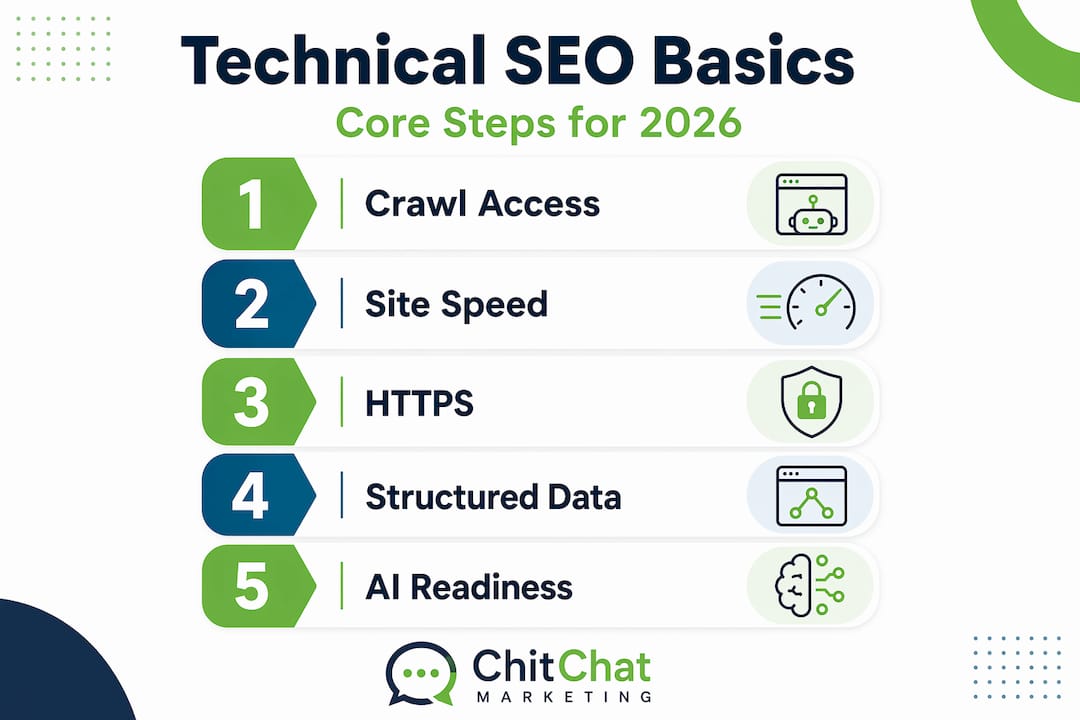
HTTPS is not optional in 2026. It is a baseline trust signal and a confirmed ranking factor. Any site still running on HTTP is sending a red flag to both visitors and search engines before a single word of content is read.
Mobile-first indexing means Google primarily uses the mobile version of your site to determine rankings. If your mobile experience is broken, slower, or missing content that the desktop version has, your rankings reflect that mobile version. Checking your site in Google Search Console under the “Mobile Usability” report is a fast way to catch problems.
Core Web Vitals are Google’s standardized measurements of user experience on the page. Here are the three you need to know:
- Largest Contentful Paint (LCP): Measures how quickly the main content loads. Target under 2.5 seconds. Slow LCP usually comes from unoptimized images, slow server response times, or render-blocking resources.
- Interaction to Next Paint (INP): INP replaced FID in 2026 and measures overall page responsiveness. An INP score above 500ms often indicates JavaScript blocking, which directly causes ranking penalties.
- Cumulative Layout Shift (CLS): Measures visual stability. If elements jump around as the page loads, your CLS score suffers. Reserve space for images and ads with explicit dimensions.
Pro Tip: Google evaluates Core Web Vitals using real user data, not just lab tests. Passing a synthetic speed test does not guarantee good field data scores. Use the Chrome UX Report alongside tools like PageSpeed Insights to see what actual visitors experience.
Structured data, sitemaps, robots.txt, and canonical tags
These tools form the control panel of your site’s relationship with search engines. Each one serves a distinct purpose, and mixing them up causes real ranking damage.

Structured data uses Schema.org markup delivered through JSON-LD to tell search engines exactly what your content represents. A product page, a recipe, a local business, an article: structured data labels each one precisely. In 2026, JSON-LD with chunked semantic HTML also improves how AI systems retrieve and cite your content in generated answers. This makes structured data a dual-purpose investment.
Here is a quick comparison of the four main indexing control tools:
| Tool | Controls | Does not control |
|---|---|---|
| robots.txt | Whether pages are crawled | Whether pages are indexed |
| noindex tag | Whether pages are indexed | Whether pages are crawled |
| Canonical tag | Which URL consolidates ranking signals | Crawling or rendering behavior |
| XML sitemap | Which URLs you want prioritized | Forces immediate crawling or indexing |
The single most damaging mistake is blocking pages with robots.txt while also placing noindex tags on them. Googlebot obeys robots.txt and never reaches the page, so it never sees the noindex directive. The page can still appear in search results because Google knows it exists from external links, just without any content snippet.
Best practices for these tools include the following:
- Submit a clean XML sitemap with only canonical, indexable URLs. Do not pad it with redirect or noindex pages.
- Audit canonical tags site-wide to catch self-referencing canonicals that conflict with intended consolidation.
- Treat noindex pages as excluded from robots.txt blocks so Googlebot can always read the directive.
- Use JSON-LD for structured data rather than Microdata since JSON-LD is easier to maintain and update without touching page HTML.
Technical SEO in 2026: AI search and new priorities
Search has evolved well beyond the traditional ten blue links. AI answer engines, social search, and decentralized platforms now compete for the same user attention, and your technical infrastructure determines whether you show up in any of them.
Here is what is shifting and what it means for your site:
- Generative Engine Optimization (GEO) is now a recognized part of technical SEO. It focuses on structuring content so large language models (LLMs) can retrieve and cite it accurately. Clean semantic HTML, clear entity relationships, and FAQ-style content structure all support GEO. Learn more about AI search optimization for small businesses navigating this shift.
- Index budget versus crawl budget: Many large sites discover they have more of an index budget problem than a crawl budget problem. Index budget governs how many pages Google keeps in its index based on quality signals. Thin pages, duplicate content, and low-engagement URLs can drain your index budget and push stronger pages out.
- Crawl budget management on complex sites involves consolidating duplicate content, reducing redirect chains, and blocking unimportant URLs so Googlebot spends its limited visits on your most valuable pages. Redirecting chains of three or more hops to their final destination URL is a low-effort fix with measurable crawl efficiency gains.
- Chunked, structured content for RAG systems: Retrieval Augmented Generation (RAG) is the mechanism most AI answer engines use to pull specific facts and passages. Content formatted with clear headings, concise paragraphs, and explicit entity labels is far more retrievable than dense, unstructured prose.
Technical SEO in 2026 is not just about satisfying Google’s crawler. It is about making your content machine-readable across every platform that delivers search results, from AI assistants to voice interfaces to social search engines.
Understanding these foundational SEO elements for AI will help you prepare your site for the full spectrum of modern search.
How to improve technical SEO: a practical checklist
Understanding technical SEO concepts is useful. Having a prioritized action plan is better. Here is a stepwise approach you can start applying today.
- Run a full crawl audit. Use Google Search Console or a crawler tool to identify pages returning 4xx errors, redirect chains, and pages blocked from indexing. Fix critical errors first since they represent immediate lost visibility.
- Check and clean your robots.txt. Confirm it is not accidentally blocking pages you want indexed. A single misplaced disallow rule can silently hide entire site sections.
- Audit your canonical tags. Every page should either have a self-referencing canonical or point to the intended canonical version. Conflicting canonicals split ranking signals across duplicate URLs.
- Measure and improve Core Web Vitals. Run PageSpeed Insights on your top landing pages. Address LCP by optimizing images and server response. Fix INP by auditing and deferring non-critical JavaScript.
- Implement or audit structured data. Validate existing markup in Google’s Rich Results Test. Add JSON-LD where it is missing, particularly on product, service, FAQ, and local business pages.
- Review your XML sitemap. Remove redirect URLs, noindex pages, and duplicate entries. Resubmit through Google Search Console after cleanup.
Pro Tip: Set a recurring monthly reminder to check Google Search Console’s Coverage report. New indexing issues can appear after site updates, plugin changes, or CMS migrations, and catching them early prevents prolonged ranking drops.
For a deeper walkthrough, this technical SEO checklist covers implementation steps for small business websites specifically. You can also explore how to improve SEO more broadly if you want to connect technical fixes with content and link strategy.
My take on why technical SEO gets underestimated
I have worked with dozens of business websites that had genuinely good content, solid backlinks, and zero movement in rankings. In almost every case, the root cause was technical. Pages Google could not render. Canonical tags pointing in circles. An entire blog section accidentally disallowed in robots.txt after a site migration.
What I have learned is that neglecting technical SEO creates a ceiling. You can write every day and earn quality backlinks, but if Google cannot reliably access and process your site, those efforts produce a fraction of what they should.
The other thing I have seen is how dramatically rankings shift after technical fixes. One client recovered over 40% of their lost organic traffic within six weeks of resolving a canonical conflict that had been diluting their product pages for two years. No new content. No outreach. Just fixing the infrastructure.
The landscape is getting more complex with AI-driven search, not simpler. Mastering technical SEO now, while many competitors still treat it as optional, is one of the clearest advantages you can build. Treat it as a discipline, not a one-time project.
— Thomas
Ready to fix what is holding your site back?
If you have been investing in content and wondering why rankings are not following, the answer may be buried in your site’s technical infrastructure. Chitchatmarketingllc helps businesses uncover exactly those issues through professional SEO audit services that identify what is blocking your visibility and what to fix first. For businesses starting fresh or rebuilding, our SEO web design service builds technically sound websites from the ground up. You can also review the latest SEO trends for 2026 to stay ahead of what is coming next.

Whether you need a full audit or a long-term SEO partner, Chitchatmarketingllc is ready to help you grow.
FAQ
What is technical SEO in simple terms?
Technical SEO is the process of optimizing your website’s infrastructure so search engines can crawl, render, and index your pages correctly. Without it, even high-quality content may never appear in search results.
Why does technical SEO matter for rankings?
Technical SEO matters because it controls whether Google can access and understand your pages at all. Sites with poor technical foundations hit ranking ceilings regardless of content quality or backlink count.
What does a technical SEO checklist include?
A technical SEO checklist covers crawl error fixes, robots.txt and canonical tag audits, Core Web Vitals improvements, XML sitemap cleanup, HTTPS implementation, mobile usability checks, and structured data markup.
How is technical SEO different from on-page SEO?
On-page SEO focuses on content, keywords, and meta tags on individual pages. Technical SEO focuses on the underlying infrastructure that determines whether those pages can be discovered and ranked at all.
What is Generative Engine Optimization and how does it relate to technical SEO?
Generative Engine Optimization (GEO) is a branch of technical SEO that structures content so AI language models can retrieve and cite it accurately. It involves clean semantic HTML, JSON-LD structured data, and chunked content formatting.
Recommended
- SEO trends in 2026: Boost visibility and stay ahead
- Best Technical SEO Tips to Improve Rankings and Site Performance – ChitChat Marketing LLC
- Technical SEO Checklist for Small Business Websites – ChitChat Marketing LLC

Thomas Guardado is a seasoned digital marketing and SEO expert with over a decade of hands-on experience helping brands grow their online presence and dominate search results. Based in Connecticut, he specializes in organic search strategy, technical SEO, content optimization, and data-driven campaigns that turn clicks into customers.


Leave a comment